Import a recipe from Pinterest
Save any Pinterest pin to recipes.im. We follow the link out to the source recipe and parse it.
Pinterest pins are usually thumbnails that link out to the original recipe page. We follow the outbound link and import the source — that means the import quality is whatever the destination site offers.
- 1
Open the pin on Pinterest
Open the Pinterest app and tap into the recipe pin you want to save.
- 2
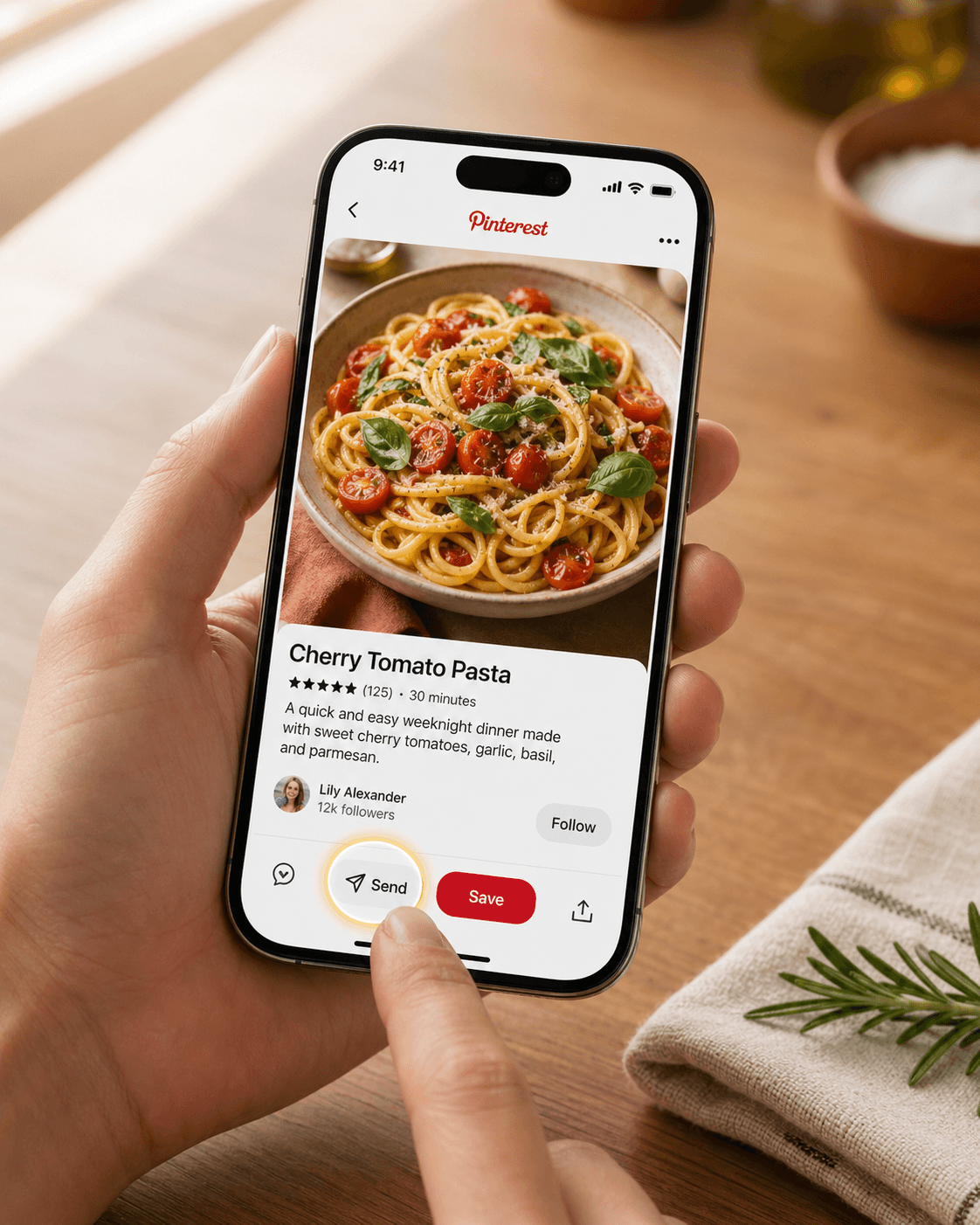
Tap Send (or the share icon)
On Pinterest the share button is labeled Send — it's the paper-airplane icon. Tap it, then choose More to reach the iOS share sheet.
- 3
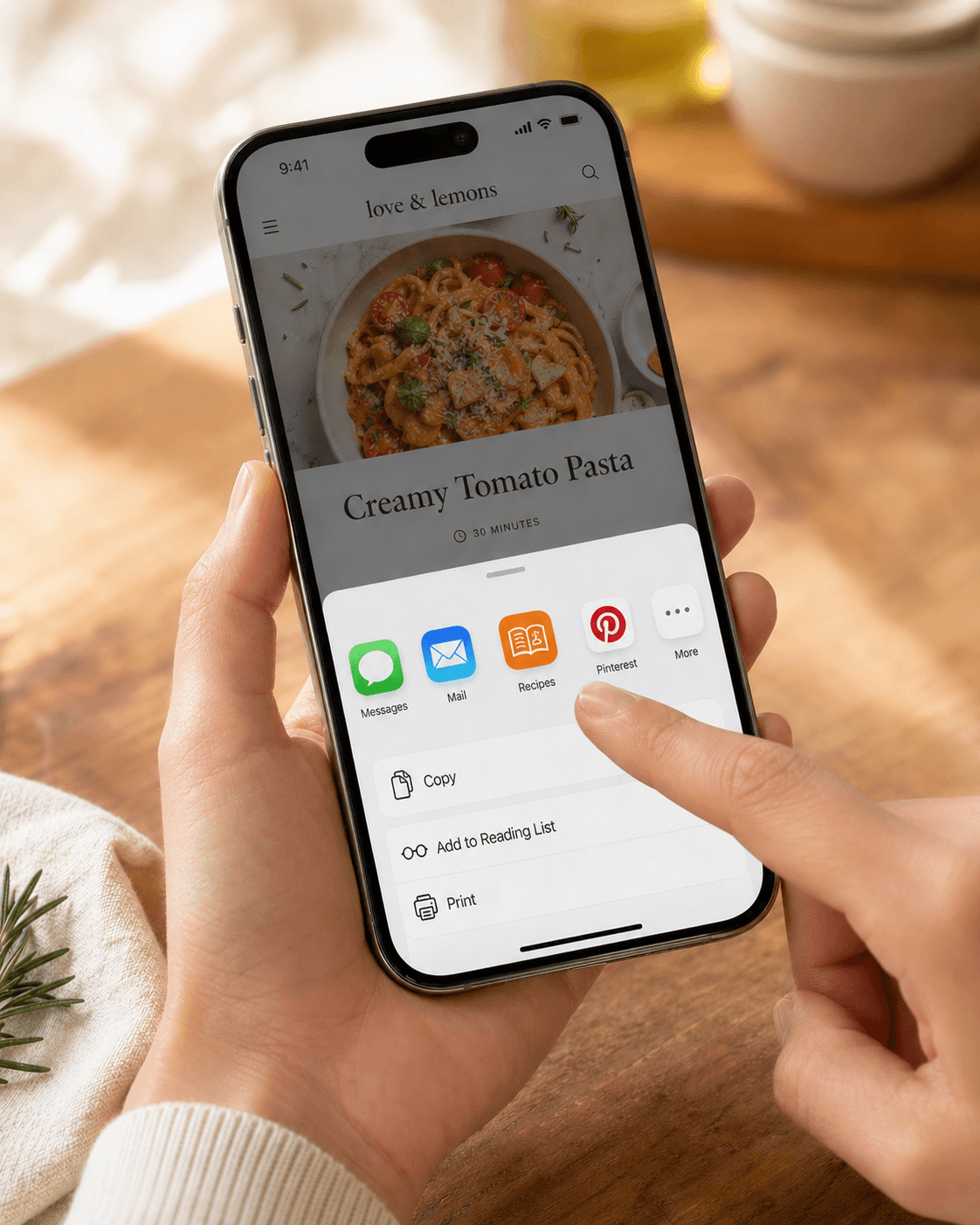
Pick Recipes
Recipes appears in the iOS share sheet. Tap it.
- 4
We follow the pin's link
Pinterest sends us the pin URL; we resolve it to the source recipe site (food blog, cookbook, magazine) and parse from there. Same speed as a regular website import.
Troubleshooting
The pin's outbound link is broken
Lots of older pins point to recipe sites that no longer exist or have moved. If we can't reach the source, the import will fail — there's no recipe text on Pinterest itself for us to fall back to. Search the recipe title on the open web and try a different result.
The pin only has a screenshot of the recipe
Some pins are images of recipes pulled out of magazines with no source link. Tap and hold the image, save it to your Photos, then import as a photo — we'll OCR the text out.
Related guides
Send any recipe link from Safari to recipes.im. Works with food blogs, cooking magazines, and most recipe sites.
Snap photos of cookbook pages, magazine recipes, or printed cards and import them into recipes.im. We work out which photos belong to which recipe and parse them.
A short tour of what happens between tapping Share and the recipe landing in your library — and the architectural choice that keeps it cheap to run.
Common problems and fixes — failed imports, missing ingredients, scrambled steps, sync issues.