Send a recipe from any text app
Share recipe text from Notes, Mail, Messages, ChatGPT, Claude, or any app where you can select text — recipes.im parses it just like a website.
Sometimes the recipe is just text — a friend's message, a cookbook page you typed up, a paywalled site you can't share a link to, an AI chat. As long as you can get the text into an app on your phone, you can share it to recipes.im.
This is also the recommended way to bring a recipe back from ChatGPT or Claude — see Sharing & remixing for the round-trip flow.
- 1
Open the text in any iOS app
Notes, Mail, Messages, ChatGPT, Claude, Gemini, Reminders — anything that lets you select text or has its own Share button. If your recipe is in a paywalled cookbook app, copying it into Notes first is usually the fastest path.
- 2
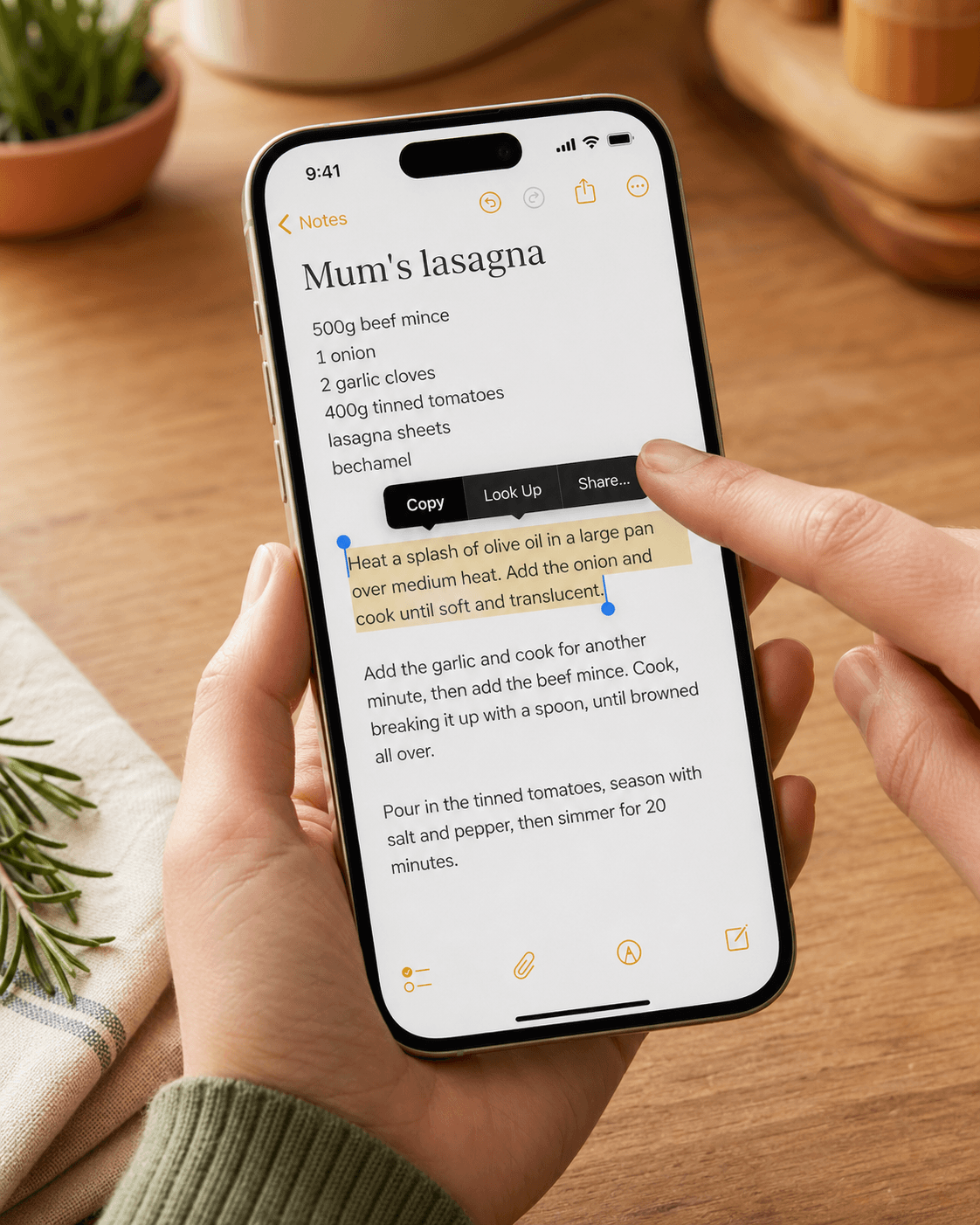
Select the recipe text and tap Share
Long-press anywhere in the recipe, drag the blue selection handles to cover the whole thing — title, ingredients, method — and tap Share in the iOS context menu that appears.
- 3
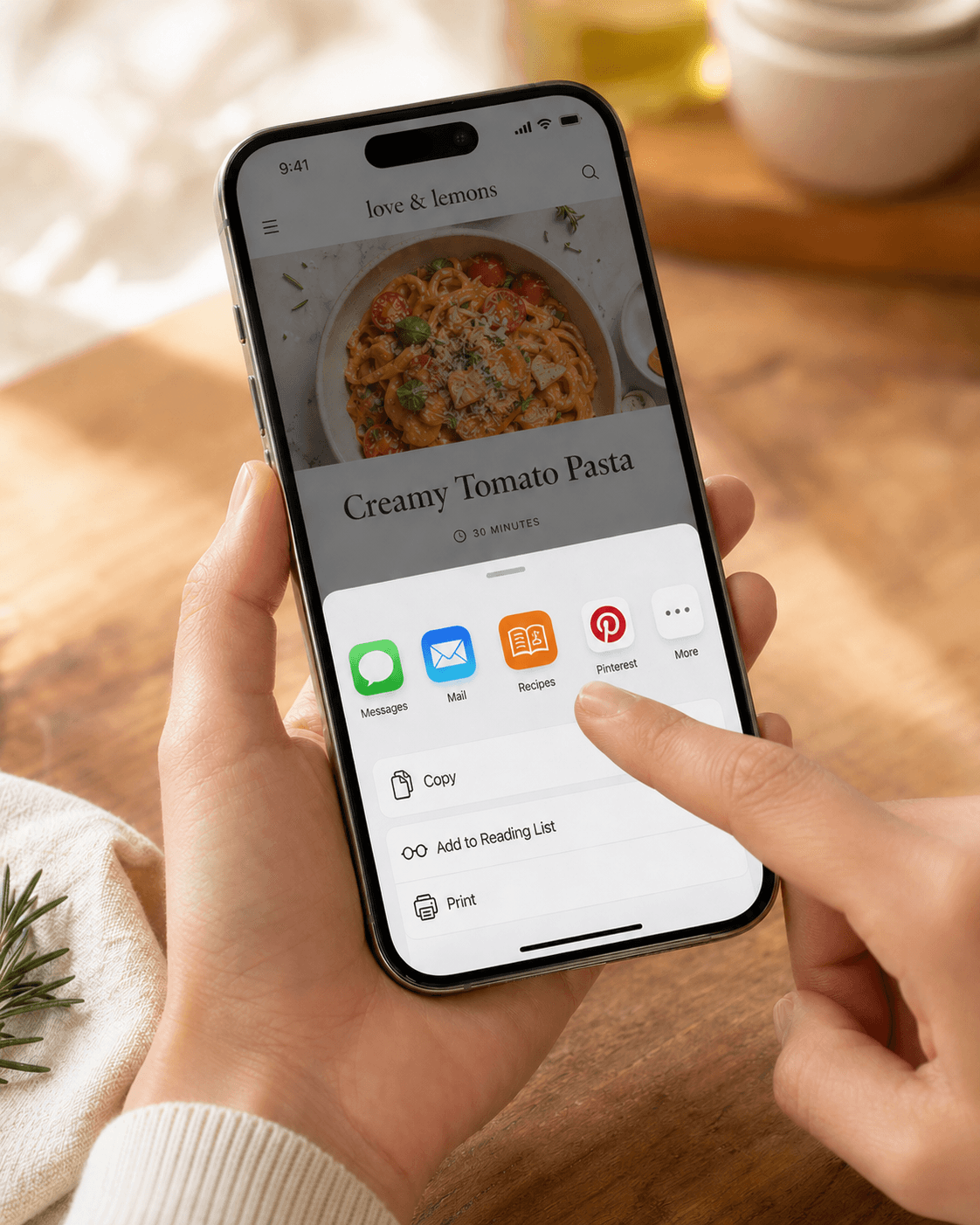
Pick Recipes from the share sheet
Scroll the row of app icons until you see Recipes. Tap it. The text gets sent straight to the parser — no extra paste step needed.
- 4
Wait for parsing
Text parses fast — usually 5-10 seconds. We don't have to fetch a page or watch a video, just feed your text to the recipe model.
Troubleshooting
The recipe came out missing parts
Make sure you selected the whole recipe before sharing — ingredients and method. If the source has them on separate pages or behind a 'jump to recipe' button, grab both before sharing.
I want to update an existing recipe with a tweak
Imported text always creates a new entry — we never silently overwrite the original. After the tweaked version lands, archive the original if you don't want to keep both.
Related guides
Two ways to share a recipe — a public link anyone can open, or a markdown export you can hand to ChatGPT or Claude.
Snap photos of cookbook pages, magazine recipes, or printed cards and import them into recipes.im. We work out which photos belong to which recipe and parse them.
A short tour of what happens between tapping Share and the recipe landing in your library — and the architectural choice that keeps it cheap to run.
Common problems and fixes — failed imports, missing ingredients, scrambled steps, sync issues.